Camera guide
The best coop cameras for solar, battery, and plug-in setups
A coop camera is useful when it answers one question reliably: did the door close, is the flock settled, or what crossed the run? Power and network coverage matter more than headline resolution.
Quick answer
- Reolink Argus Eco + Solar Panel is the off-grid starting point when Wi-Fi reaches the run.
- Blink Outdoor 4 suits an existing Blink setup; the add-on camera needs a Sync Module.
- Wyze Cam Pan v3 offers wide coverage when protected plug-in power is already available.
- Battery cameras capture events; continuous recording usually needs wired power.
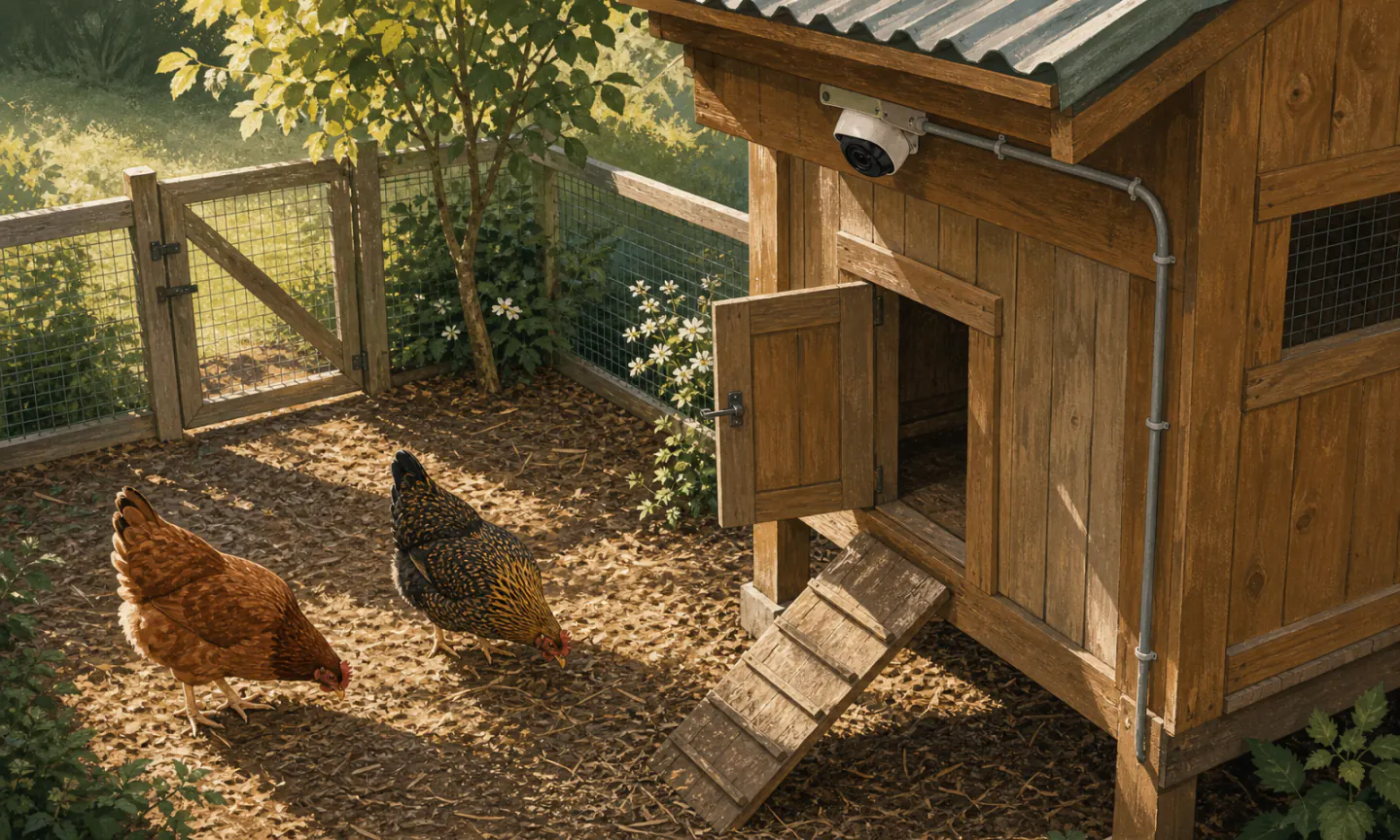
Field note · Useful view
Run two tests before shopping
Network test
Stand at the proposed camera position with coop doors and metal panels in their normal position. Check the 2.4 GHz network—the band most outdoor cameras use—and stream for several minutes.
Power test
For solar, map direct sun after leaves emerge and during winter. For plug-in, use a permanent protected outlet route. Do not make an indoor USB supply “outdoor” with a plastic bag.
Compare the camera setups
| Retailer | |||||
|---|---|---|---|---|---|
| Blink Outdoor 4 Add-on CameraBest battery life claim | Low-maintenance battery monitoring | $$ | 2 AA lithium batteries | Blink app; Wi-Fi via required Sync Module | View on Amazon for Blink Outdoor 4 Add-on Camera (affiliate link) |
| Reolink Argus Eco + Solar PanelBest solar camera | A sunny run without an outlet | $$ | Rechargeable battery + included solar panel | Reolink app; 2.4 GHz Wi-Fi | View on Amazon for Reolink Argus Eco + Solar Panel (affiliate link) |
| Wyze Cam Pan v3Best powered value | Powered coops and wide interior coverage | $ | Plug-in USB power | Wyze app; 2.4 GHz Wi-Fi; pan/tilt | View on Amazon for Wyze Cam Pan v3 (affiliate link) |
Three practical starting points
A battery Wi-Fi camera bundled with a solar panel, local microSD recording, night vision, and person/vehicle alerts without a required subscription.
- Best for
- A sunny run without an outlet
- Power
- Rechargeable battery + included solar panel
- Key spec
- 2K/5MP current listing; IP65
- Solar panel included
- Local storage without a required subscription
- Weather-rated for outdoor mounting
- Motion-event camera, not ideal for continuous recording
- Needs Wi-Fi at the run and sun at the panel
Our take
The practical off-grid pick when your coop has Wi-Fi and the panel can receive several hours of unobstructed light.
A 1080p battery camera with infrared night vision, two-way audio, and a manufacturer claim of up to two years on lithium AA batteries.
- Best for
- Low-maintenance battery monitoring
- Power
- 2 AA lithium batteries
- Key spec
- 1080p; 143° diagonal field of view
- Long manufacturer battery-life claim
- Wide field of view
- Straightforward Alexa integration
- This ASIN is an add-on camera; Sync Module not included
- Some detection and storage features require added hardware or a plan
Our take
Simple for an existing Blink household, but first-time buyers must budget for a compatible Sync Module and understand the subscription tradeoffs.
Before buying: This is an add-on camera. A compatible Blink Sync Module is required and sold separately.
A plug-in pan-and-tilt camera with 1080p video, color night vision, motion tracking, and an IP65 enclosure.
- Best for
- Powered coops and wide interior coverage
- Power
- Plug-in USB power
- Key spec
- 1080p; 360° pan and 180° tilt
- Wide remotely adjustable view
- Color night vision and motion tracking
- Low purchase price
- Needs continuous protected power
- Cloud features and notifications vary by plan
Our take
A strong low-cost interior/run camera if protected power is already present; skip it when running an extension cord would create a hazard.
Mount for the question, not the prettiest view
For door confirmation, place the threshold in the center third of the image and keep the camera far enough away to show the panel fully open and fully closed. Avoid shooting directly into sunrise or a bright security light.
Keep cables in conduit or behind a barrier where birds cannot peck them. Place the camera outside the dustiest litter plume, leave service access for the battery or memory card, and check the lens after every deep clean.
Motion alerts inside a coop can become unusable because birds move constantly. Use activity zones, a narrow door-facing angle, or scheduled notifications so the system highlights unusual events instead of training you to ignore every alert.
Treat the alert as a prompt to look
Recent keeper discussions repeatedly describe cameras as a way to confirm that an automatic door completed its cycle. That is a good fit for the tool: the image can show the panel, threshold, and birds. The same discussions also include cameras labeling chickens and pets as unrelated animals. Those reports are community experience, not a controlled accuracy test, but they expose an important failure mode.
The published detection categories differ by camera. Reolink lists person, vehicle, and animal detection for the current Argus Eco. Blink lists person detection for Outdoor 4 and requires a subscription plan for that feature. Neither statement promises an accurate chicken count or a reliable species-level predator alert.
Use alerts for triage
Let motion or object labels point you to a clip. Then inspect the full frame before deciding that every bird is inside, the door is seated, or a particular predator is present.
Commission the notifications
Walk through the view, let the flock cross it, move branches in wind, and review night footage. Adjust zones and sensitivity until alerts are useful, while keeping a scheduled morning and evening visual check.
Frequently asked questions
Will a Wi-Fi camera work inside a metal coop?
Can a battery camera record all night?
Should the camera point at the roost or the door?
Do infrared lights bother chickens?
Can a security camera reliably identify chickens or predators?
Sources checked
Product capabilities and listings were checked on August 17, 2026. Community discussions identify use cases and failure concerns; they do not verify product performance.
- Reolink Argus Eco product information
- Blink Outdoor 4 feature documentation
- Wyze Cam Pan v3 product information
- Community discussion: camera checks after automatic-door cycles (August 16, 2026)
- Community discussion: door power, connectivity, and camera checks (August 7, 2026)
- Community discussion: inaccurate coop-camera labels (July 21, 2026)