Buying guide
7 Best Automatic Chicken Coop Doors
There is no single best door for every coop. The right one fits the finished opening, matches the power available at the wall, and still has a control method you can troubleshoot in the dark.
Quick answer
- RUN-CHICKEN T50 is the simplest starting point for many standard openings.
- ChickenGuard PRO is the flexible choice for an existing vertical slide door.
- Omlet Smart Autodoor is the premium option for remote status and control.
- RUN-CHICKEN Eternal is the cleanest integrated-solar installation.
Compare the doors
Price tiers are directional: $ is the lowest group in this set and $$$$ is the highest. Use the retailer link for current price and availability.
| Product | Best for | Power | Timer | Light sensor | App / Wi-Fi | Door included | Predator resistance | Price |
|---|---|---|---|---|---|---|---|---|
| RUN-CHICKEN T50 | Most standard backyard coops | 2 AA batteries; about one year claimed | Yes | Depends on controller revision | Bluetooth in current manual; no Wi-Fi | Yes | Motor-held panel; maker claim | $$Check price for RUN-CHICKEN T50 (affiliate link) |
| RUN-CHICKEN Eternal | Off-grid coops with useful sun exposure | Integrated solar panel + 2 rechargeable AA batteries | Yes | Light/GPS modes; check revision | Bluetooth setup; no Wi-Fi | Yes | Motor-held panel; maker claim | $$$Check price for RUN-CHICKEN Eternal (affiliate link) |
| ChickenGuard PRO + Door | Custom vertical doors and flexible power | 4 AA batteries; optional solar panel or 9V DC | Yes | Yes; DualSafe closing option | No app or Wi-Fi | PRO Door Kit: yes; opener alone: no | Self-locking kit; custom doors need retention | $$$Check price for ChickenGuard PRO + Door (affiliate link) |
| Omlet Smart Autodoor | Remote status checks and smart-home control | 4 AA batteries or plug-in supply | Yes | Yes | Wi-Fi; Omlet app | Full door: yes; controller upgrade: no | Side-opening panel; inspect frame and stops | $$$$Check price for Omlet Smart Autodoor (affiliate link) |
| Omlet Autodoor | Omlet coops and side-opening security | 4 AA batteries | Yes | Yes | None with non-smart controller | Full door: yes; spare controller: no | Side-opening panel; inspect frame and stops | $$$Check price for Omlet Autodoor (affiliate link) |
| VEVOR M7B Automatic Door | Budget-conscious standard installations | DC adapter or battery | Yes | Yes | No app listed for this model | Yes | Check lower edge and guides; not independently tested | $Check price for VEVOR M7B Automatic Door (affiliate link) |
| Add-A-Motor D20 | DIY retrofits with an existing slide door | 120V AC, 19W | External timer required | No; maker advises against dusk-to-dawn timers | No built-in app or Wi-Fi | No; motor kit only | Depends on your panel, rails, and latch | $$Check price for Add-A-Motor D20 (affiliate link) |
Security features describe the closure design, not an independent predator-resistance test. Check the exact bundle: an automatic chicken coop door opener may include only the motor and controller.
Choose in this order
1. Opening and travel
Measure the finished clear opening, then confirm the frame has room for the full slide or swing. Include trim, roof overhangs, ramps, and deep bedding in the check.
2. Door type
All-in-one units are simpler. Cord-lift systems suit custom vertical panels. Side-opening doors need more wall area but do not rely on a panel that can be lifted from below.
3. Power at the coop
AA batteries are easy to service. Solar needs open sky. Plug-in power needs a code-appropriate protected route—never a loose extension cord through wet bedding.
4. Control expectations
Light and timer modes work locally. Bluetooth is near-range setup. Wi-Fi is required for remote status, and that feature is only as reliable as the network at the coop.
Which automatic door fits your coop?
A compact, all-in-one aluminum door. Current documentation combines sunrise and sunset scheduling in one app mode; earlier controllers use separate light and GPS modes. Check the version and connection range before buying.
- Best for
- Most standard backyard coops
- Power
- 2 AA batteries; about one year claimed
- Key spec
- Current maker dimensions: 9.5 x 14 in frame; 8 x 10 in opening
- Single-piece aluminum installation
- App-based scheduling; check controller revision
- Anti-pinch stop and motor-held closure
- Bluetooth is not remote Wi-Fi access
- Opening is too small for some ducks and large poultry
Our take
The most straightforward choice when your opening fits and you want battery power without a separate control box.
Installation, safety, and warranty details
- Installation and size
- All-in-one frame. The current maker page lists an 8 x 10 in opening and 24 in full-open height; check your ordered version before cutting.
- Obstruction safety
- Anti-pinch stop/reverse is listed. Check that it is enabled and test as the manual directs.
- Cold weather
- Clear frozen bedding and rails. Outdoor-use claims do not establish performance on your coop.
- Warranty
- The linked T50/Eternal manual lists a one-year warranty with online registration.
- Choose another option if
- Your birds need a larger opening or you require verified remote Wi-Fi control.
The solar counterpart to the T50 uses an integrated panel and two included rechargeable AA batteries, so there is no separate panel cable to route.
- Best for
- Off-grid coops with useful sun exposure
- Power
- Integrated solar panel + 2 rechargeable AA batteries
- Key spec
- About 14 x 9.5 x 1.6 in
- No external panel or exposed charging lead
- Battery backup carries the door through low-sun periods
- Anti-pinch stop and aluminum enclosure
- Needs a genuinely sunny mounting position
- Integrated panel limits where the door can face
Our take
The cleanest solar installation in this guide, provided the panel can face open sky instead of a shaded run roof.
Installation, safety, and warranty details
- Installation and size
- Integrated panel and door mount together. Confirm the clear opening on the supplied template; frame size is not passage size.
- Obstruction safety
- Anti-pinch is listed. Verify its setting and obstruction response before leaving the flock unsupervised.
- Cold weather
- Check panel shade, snow cover, and battery state after cloudy weather. No site-specific cold test is available.
- Warranty
- The linked T50/Eternal manual lists a one-year warranty with online registration.
- Choose another option if
- The door wall is shaded and you need to aim the solar panel elsewhere.
A separate control unit and cord lift for keepers who want to automate an existing vertical door or use the included aluminum panel.
- Best for
- Custom vertical doors and flexible power
- Power
- 4 AA batteries; optional solar panel or 9V DC
- Key spec
- Lifts doors up to 2 kg / 4.4 lb
- Works with custom vertical door panels
- Three practical power options
- Three-year manufacturer warranty listed
- More pieces and alignment work than an all-in-one door
- Not app-connected
Our take
Choose it for a custom build, a heavier slide door, or the ability to add the manufacturer solar panel or DC supply later.
Installation, safety, and warranty details
- Installation and size
- Separate controller, cord, and rails need alignment. The locking panel is 10 x 12 in; measure the finished passage separately.
- Obstruction safety
- Do not assume All-in-One safety features apply to the cord-lift PRO. Follow its own calibration and obstruction instructions.
- Cold weather
- The PRO is rated by ChickenGuard to -4°F. Clear ice from the panel and runners; the rating is not an ice-clearing guarantee.
- Warranty
- ChickenGuard lists a three-year manufacturer warranty.
- Choose another option if
- You want app control or a single frame that needs no cord alignment.
A side-opening door with Wi-Fi status, alerts, schedules, and optional Alexa or Google control. It can run on AA batteries or plug-in power.
- Best for
- Remote status checks and smart-home control
- Power
- 4 AA batteries or plug-in supply
- Key spec
- 16.5 x 19.25 in frame; 11.75 x 7.75 in opening
- Remote door status and battery alerts
- Side-opening mechanism is hard to lift from below
- Battery or plug-in power
- Costs more than non-connected doors
- Remote features depend on stable coop Wi-Fi
Our take
The right premium choice if remote status matters more than lowest cost and your Wi-Fi reaches the coop reliably.
Installation, safety, and warranty details
- Installation and size
- Allow wall space for the side-opening frame and mount the controller within cable reach. Test Wi-Fi at the closed coop.
- Obstruction safety
- Omlet lists obstruction sensors. Follow the manual for checks and the physical emergency release.
- Cold weather
- Omlet lists -4°F to 150°F and IPX6. Keep the track clear; these are maker specifications, not our field results.
- Warranty
- Check the current Autodoor terms. Omlet does not support third-party solar power connections.
- Choose another option if
- Coop Wi-Fi is unreliable or you expect instant remote commands while using battery power.
The established non-smart Omlet door uses the same distinctive horizontal action without requiring an internet connection.
- Best for
- Omlet coops and side-opening security
- Power
- 4 AA batteries
- Key spec
- Side-opening door with separate control panel
- No cloud account required
- Side-opening action resists lifting from below
- Mounting kits support several coop types
- Premium cost without remote status
- Larger frame needs careful opening measurements
Our take
A strong fit for Omlet owners or anyone who prefers a side-opening door and local controls over app features.
Installation, safety, and warranty details
- Installation and size
- Measure space for the horizontal frame and check the mounting kit for your coop. Use the non-smart manual for programming.
- Obstruction safety
- Check the obstruction sensor and practice the emergency release described in the manual.
- Cold weather
- Keep the track free of ice and check batteries. Use the temperature limits for your exact door and controller.
- Warranty
- Confirm terms for the door and controller being sold; do not apply a coop warranty to this accessory.
- Choose another option if
- You need phone alerts or remote control without buying the smart-controller upgrade.
A vertically sliding aluminum-and-ABS door with an LCD, light sensor, timer, manual control, and dual battery/DC input.
- Best for
- Budget-conscious standard installations
- Power
- DC adapter or battery
- Key spec
- 15.94 x 12.99 x 3.35 in
- Timer and light modes at a lower price tier
- Anti-pinch stop listed
- DC and battery power choices
- Support and replacement parts are less proven
- Bulkier enclosure than compact all-in-one doors
Our take
A feature-rich low-cost option, but the shorter warranty and less established service path are meaningful tradeoffs.
Installation, safety, and warranty details
- Installation and size
- Match the M7B model number before using the template. The listed outer dimensions do not establish the clear opening.
- Obstruction safety
- The listing includes anti-pinch protection. Confirm the supplied manual and observe its stop behavior.
- Cold weather
- Keep the threshold clear of ice and runoff. We have no measured cold-weather results for this unit.
- Warranty
- Confirm coverage and replacement-part availability for the exact seller and model.
- Choose another option if
- You need remote status or cannot confirm parts and support before purchase.
A mains-powered motor kit that lifts an existing vertical door by cord. It is not a complete door and needs an external timer or smart plug.
- Best for
- DIY retrofits with an existing slide door
- Power
- 120V AC, 19W
- Key spec
- Lifts up to 10 lb; opens 25 in or more
- Works with custom door sizes and materials
- Ten-pound lift capacity
- Straightforward mechanical retrofit
- Door and timer are not included
- Requires protected mains power at the coop
Our take
Useful for custom carpentry and large openings, but it is a component system rather than a ready-to-mount automatic door.
Before buying: Amazon currently shows an open-box offer; verify condition and seller before ordering.
Installation, safety, and warranty details
- Installation and size
- Provide the panel, guides, and timer. The maker lists a 10 lb lift limit and 25 in or more of travel.
- Obstruction safety
- Adjustable travel stops are not proof of bird detection. Confirm obstruction behavior for the complete build.
- Cold weather
- Protect the motor and power supply from weather. No verified operating-temperature range is available here.
- Warranty
- The manufacturer lists a one-year parts warranty.
- Choose another option if
- You need a complete door or have no protected power supply at the coop.
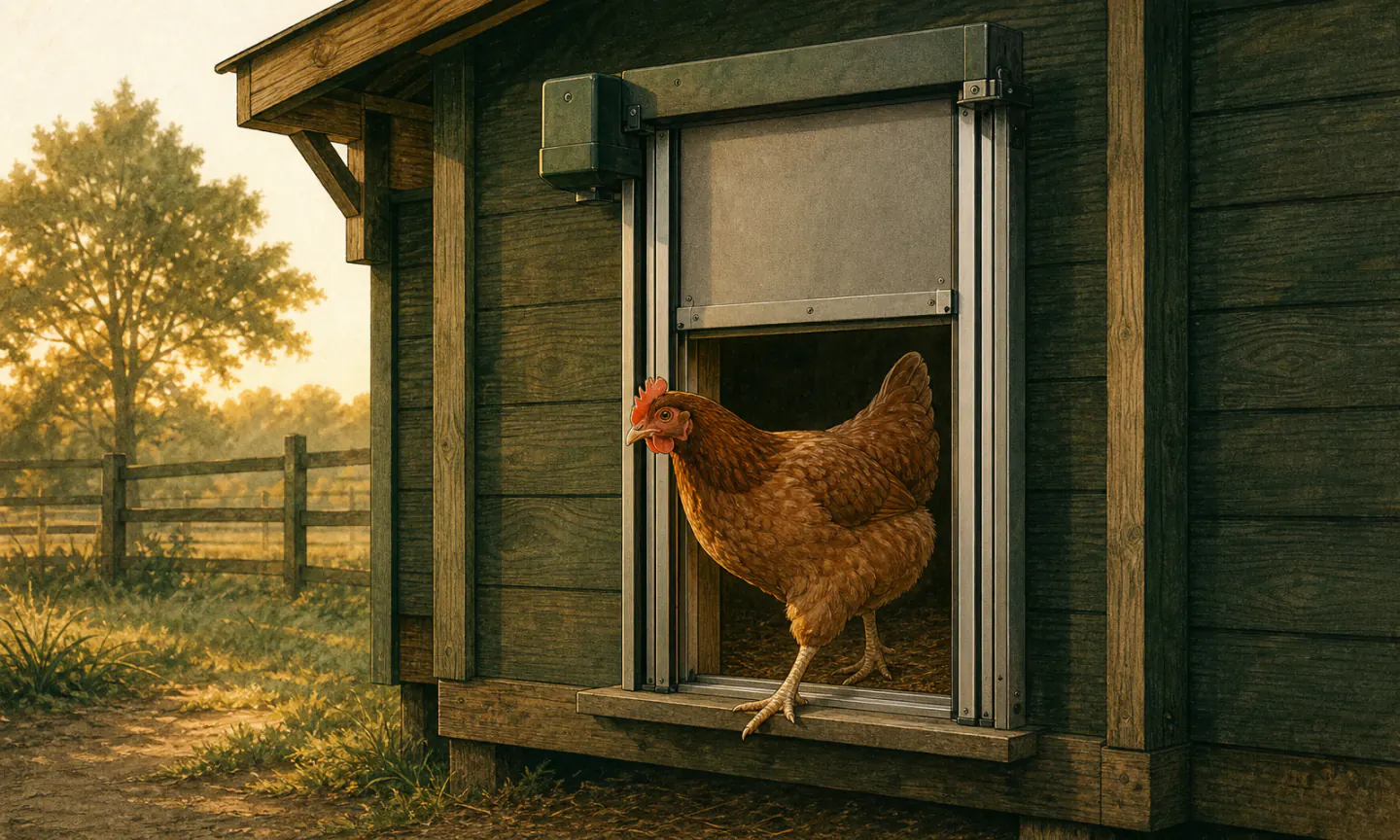
Field note · Door travel
Test recovery, not just a clean cycle
A door that works during setup has not yet proved what it does after a weak battery, power interruption, blocked panel, or controller error. Recovery behavior is not consistent across brands. Some controllers retry a blocked movement and then stop; others need an error acknowledged before automatic operation resumes. A battery change can also preserve settings on one model and restore defaults on another.
After changing power
Confirm the displayed time, opening and closing mode, delay, light threshold, and app connection. Do not assume the saved schedule survived because the display turned back on.
After a blocked cycle
Clear the threshold, read the actual error, and follow the model-specific reset or recalibration steps. Watch the next scheduled cycle while the flock is supervised.
Before leaving a caregiver
Write down the physical manual-release steps and where fresh batteries are stored. The fallback must work without your phone, account, router, or memory of the menu.
When an alert arrives
Treat controller status as a prompt to inspect, not proof of panel position. A door-facing camera or an in-person check should show the full opening and access to water.
ChickenGuard documents three retry attempts before a persistent door error, while the RUN-CHICKEN T50/Eternal guide says removing or changing batteries restores factory mode. Omlet's power-fault procedure separates battery, adapter, connector, firmware, and control-panel checks. These are model-specific examples, not a universal sequence; use the current manual for the installed door.
What a Wi-Fi chicken coop door should do
A Wi-Fi door should provide remote status and, when the model supports it, remote open-and-close commands from outside Bluetooth range. Bluetooth is usually for setup or nearby control; it does not mean you can reach the coop from anywhere.
Network reach
Test signal at the installed controller with the coop closed. Metal siding, distance, terrain, and outbuildings can weaken a signal that looks adequate at the house.
Offline behavior
Confirm the local light or timer schedule still runs if internet service or the vendor cloud is unavailable. Document what status the app shows while offline.
Local fallback
A caregiver should be able to operate or secure the door manually without an account, a working router, or your phone. Practice that recovery before relying on automation.
Camera verification
App status reports what the controller believes happened. A camera aimed at the full threshold verifies panel position and whether every bird is inside.
Run a deliberate offline test: disable the coop’s network connection, wait through a scheduled event while supervising the flock, use the manual control, restore connectivity, and confirm the app reconciles the correct position. Do not discover the fallback during a storm or trip.
Automation changes the check; it does not remove it
Confirm an open door each morning and a fully seated door each evening. In hot weather, a flock trapped inside may lose access to water and ventilation; the University of Minnesota Extension identifies cool water and airflow as central heat-stress protections.
A camera can make that confirmation remote, but frame the entire threshold so “closed” means the panel reached its stop and no bird remains outside. If the view is unavailable, treat the status as unknown rather than assuming the schedule ran.
Morning
Confirm the opening is clear, birds can reach water, and the controller shows no error. Use the manual override or secure backup opening if the panel did not travel fully.
Evening
Confirm every bird is inside and the lower edge reached its stop. Clear bedding or debris before resetting an error; ChickenGuard documents that obstruction, tight screws, and rail misalignment can all trigger a door-ajar condition.
Anti-pinch is a safeguard, not permission to skip observation. The RUN-CHICKEN T50/Eternal guide says its safety stop must be enabled in the app, while ChickenGuard support says the All-in-One obstruction sensor should not be disabled.
How we compare these doors
We rank by practical fit, current documented features, serviceability, and the number of extra assumptions an installation requires. We do not copy marketplace star ratings into our score, because those totals change and may combine variants. We also do not claim long-term hands-on use unless we can document it.
Manufacturer temperature, battery-life, water-resistance, and predator language remains a manufacturer claim. It is useful for comparison, but installation quality and site conditions still decide whether the system works on a particular night.
Frequently asked questions
Is a light sensor or timer better for a chicken door?
Does Bluetooth mean I can control the door from anywhere?
How much larger should the rough opening be?
Will an automatic door make the whole coop predator-proof?
Should I buy solar or battery power?
Can I stop checking the coop after installing an automatic door?
What should I check after a power cut or battery change?
Sources checked
Comparison details reviewed September 8, 2026. Controller revisions and retail bundles can differ; check the manual supplied with your door. We have not measured these doors in a field test.
- RUN-CHICKEN T50 specifications
- RUN-CHICKEN Eternal specifications
- ChickenGuard PRO Door Kit specifications
- Omlet Smart Autodoor specifications
- Omlet smart and non-smart Autodoor manuals
- VEVOR automatic coop door specifications
- Add-A-Motor D20 specifications
- RUN-CHICKEN T50 and Eternal instructions
- ChickenGuard door and runner dimensions
Keep planning
Solar door guide
Decide whether integrated solar, an add-on panel, or ordinary batteries fit your site.
Read nextPredator resistance
Inspect the entire opening, not just the motor and door panel.
Read nextAutomatic doors in winter
Check batteries, frozen tracks, and the manual backup before cold weather.
Read nextDIY or buy a chicken door
Compare a complete door with a retrofit opener or a custom build.
Read nextRUN-CHICKEN, ChickenGuard, and Omlet compared
Narrow the choice by installation, power, and remote access.
Read nextCoop cameras
Choose a door-facing camera for remote open-and-closed confirmation.
Read next